Local Storage (OPFS)
Data is saved directly to your device, no servers involved. 100% privacy.
- Default folder: Hidden in browser (lost if extension is removed).
- Custom folder: Recommended! Choose a local folder for permanent storage.
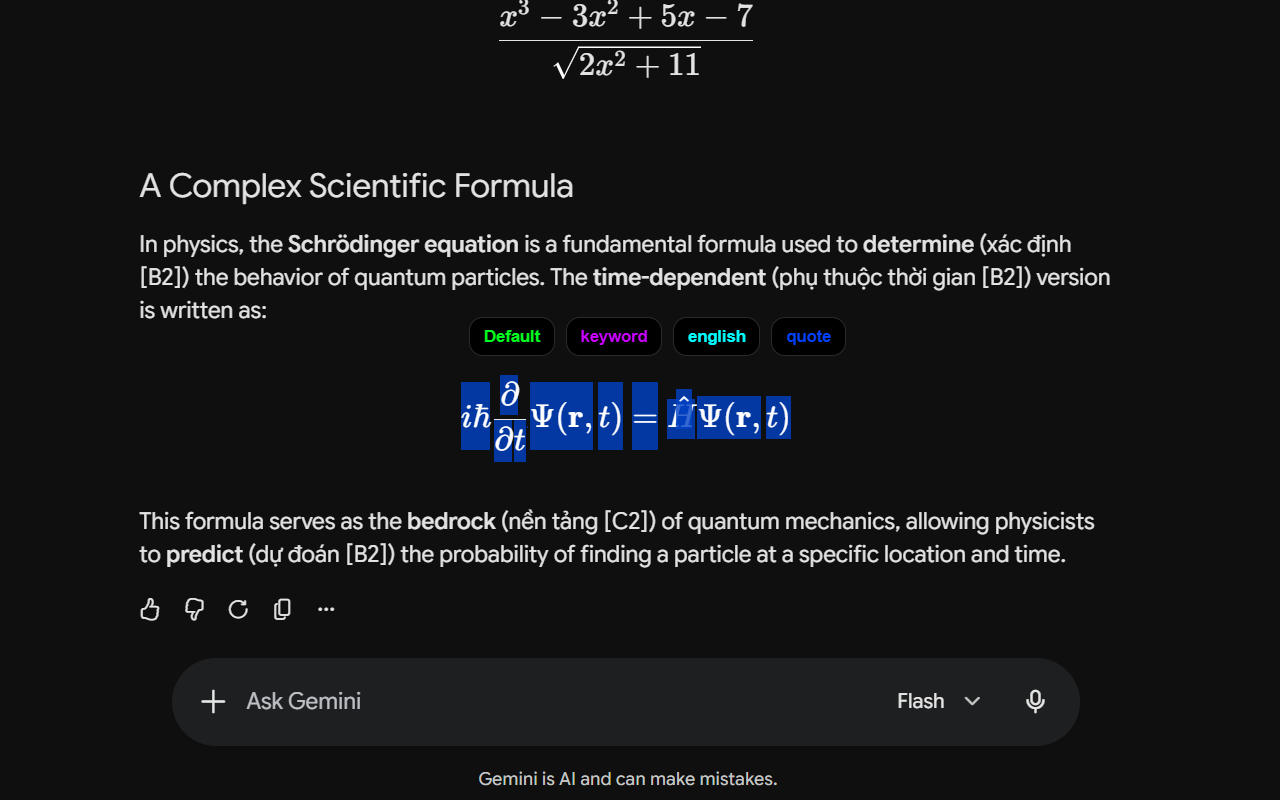
Highlighting Tool (Pill)
Just select text, and the Pill toolbar appears for lightning-fast actions.
- Save instantly: Save the highlight to your chosen folder.
- Inline edit: Type notes and paste images on the spot.
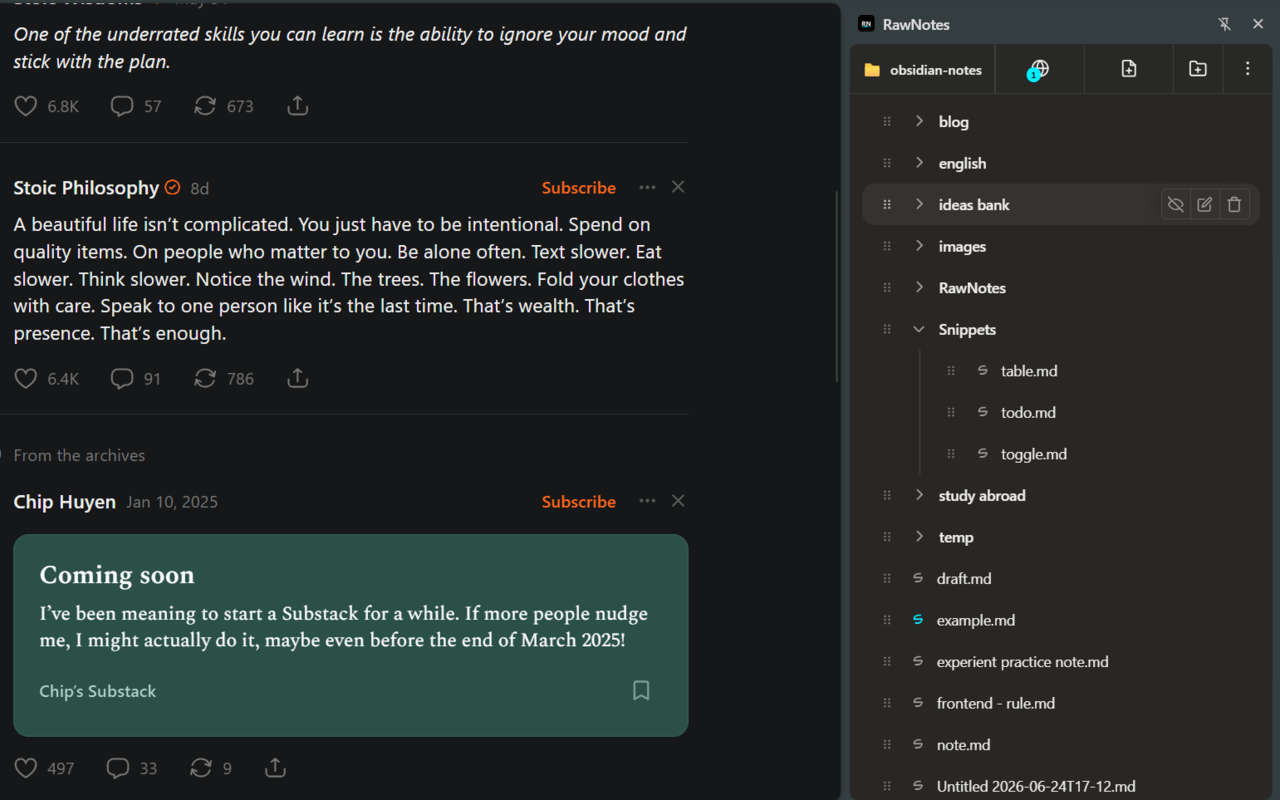
Quick Access (Sidebar)
Review all your notes right on the current webpage without distractions.
- Open via the Floating button at the screen edge.
- Or use the default Alt + A shortcut.
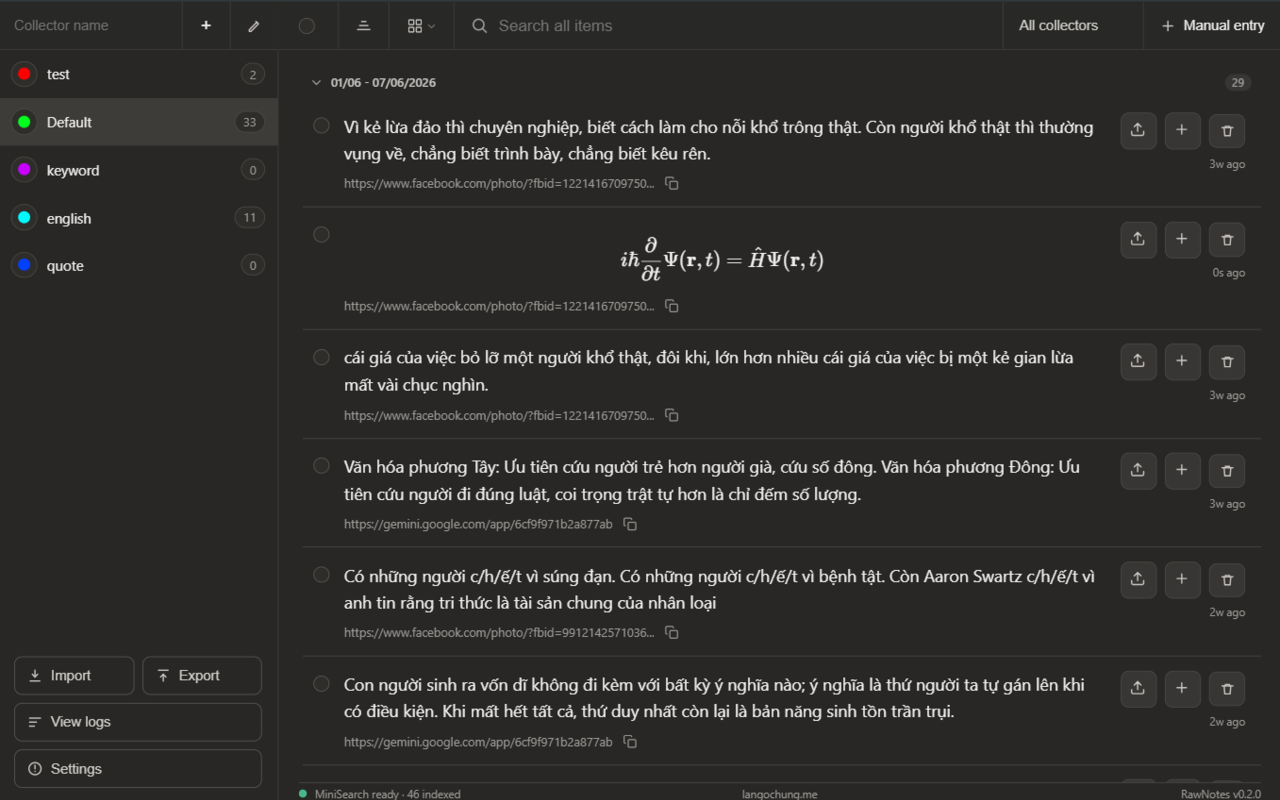
Central Manager
The brain of RawNotes, where your entire knowledge system is organized.
- Left column: Manage Topics (Collectors).
- Right column: List of notes.
- Search: High-speed full-text & flexible sorting.
Easy Editing
Manage data intuitively and quickly, like professional note-taking software.
- Double-click: Quick edit text, notes, and images.
- Bulk actions: Checkboxes to delete or move multiple items at once.
Connect Everywhere
Your data is never locked in. Export easily at any time.
- ZIP File: Package JSON with images.
- Anki (.apkg): Export directly to Flashcards for vocabulary learning.
- Webhook API: Auto-push to Notion/Obsidian.
Personalization
Configure RawNotes to work exactly the way you want in Settings.
- Appearance: Floating button position, default color.
- Copy format: Supports Markdown, APA, MLA, BibTeX.
- Language: Multi-language (English/Vietnamese).